CIE Color Spaces Demystified: XYZ, LAB, and Beyond
If you’ve ever worked with color in photography, graphic design, printing, or video, you’ve probably encountered terms like CIE XYZ, CIELAB, or color management. These can feel intimidating and overly technical.
In reality, CIE color spaces are the foundation of accurate, device-independent color reproduction. They answer a simple but crucial question: How can we describe every visible color mathematically in a way that doesn’t depend on a specific screen, printer, or camera? Let’s demystify them step by step.
The Problem CIE Solved
Before 1931, color was chaotic. Different devices produced different results for the “same” color. There was no universal standard.
The International Commission on Illumination (CIE) stepped in and created the first scientifically defined color system based on human vision experiments. Their breakthrough came in 1931 with the CIE XYZ color space.
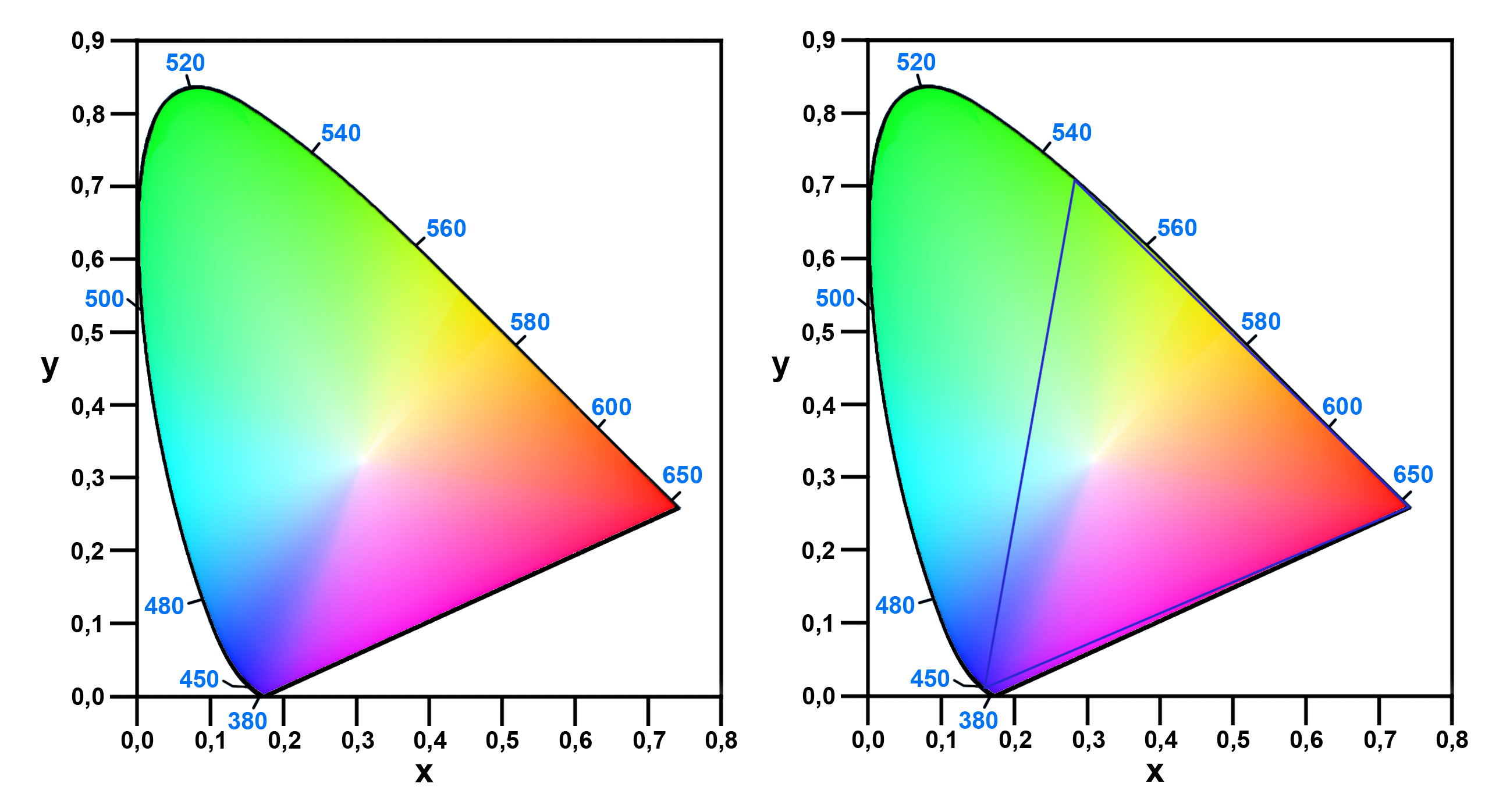
Caption: The famous CIE 1931 chromaticity diagram — the horseshoe shape shows all visible colors. The curved edge is the spectrum locus (pure wavelengths).
CIE XYZ: The Foundation of Color Science
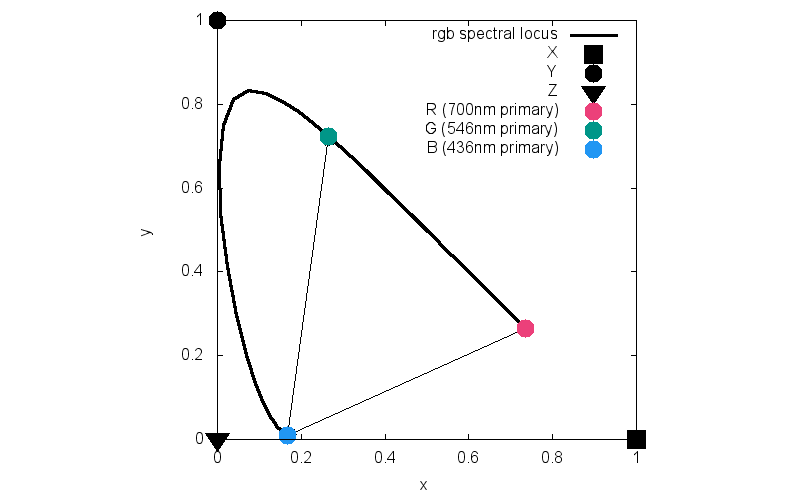
CIE XYZ is a device-independent color space. It uses three imaginary primaries — X, Y, and Z — chosen so that all real colors can be represented with positive values only.
- Y represents luminance (brightness).
- X and Z carry the color information.
XYZ is based on the color-matching functions (the response curves of the human eye’s three cone types, but transformed mathematically).
It serves as the master reference for almost all modern color work. Every color space (sRGB, Adobe RGB, CMYK, etc.) can be converted to and from XYZ.
Caption: CIE color matching functions (x̄, ȳ, z̄) — the mathematical basis of XYZ.
Why XYZ Isn’t Enough for Everyday Use
XYZ accurately describes colors mathematically, but it doesn’t match how humans perceive differences between colors. Equal distances in XYZ space don’t always look equally different to our eyes.
That’s where CIELAB (often called LAB) comes in.
CIELAB (Lab*): A More Perceptually Uniform Space
Developed in 1976, CIELAB improves on XYZ by making the space perceptually uniform — meaning a fixed numerical difference (ΔE) roughly corresponds to the same perceived color difference, no matter where you are in the color space.
- L* → Lightness (0 = black, 100 = white)
- a* → Green to Magenta axis (negative = green, positive = magenta/red)
- b* → Blue to Yellow axis (negative = blue, positive = yellow)
This 3D model better matches human vision and is widely used for measuring color differences (ΔE*ab) in industry.
Caption: The CIELAB color solid—a 3D representation showing the L*, a*, and b* axes.
Beyond XYZ and LAB: Modern Color Spaces
CIE standards paved the way for many derivatives:
- CIELUV — Better for emissive displays and lighting.
- CIECAM02 / CIECAM16 — Advanced appearance models that account for viewing conditions (surround lighting, background, etc.).
- ICC Profiles — Use XYZ or LAB as the Profile Connection Space (PCS) to translate colors accurately between devices.
Today, color management systems (like those in Photoshop or Windows/macOS) rely on these CIE-based spaces to ensure your photo looks consistent from camera → screen → print.
Why CIE Color Spaces Matter Today
- Photography & Design: Accurate color conversion between camera, monitor, and printer.
- Printing: Ensures brand colors stay consistent across different presses.
- Displays: Helps calibrate screens so sRGB, DCI-P3, or Rec.2020 content looks correct.
- Science & Industry: Used in textiles, paint, plastics, and LED lighting for precise color control.
Without CIE standards, modern digital color would be far less reliable.
Key Takeaways
- CIE XYZ (1931) — The mathematical foundation; device-independent reference space.
- CIELAB (1976) — Perceptually uniform; best for measuring “how different” two colors look.
- All practical color spaces (sRGB, Adobe RGB, CMYK, etc.) are defined relative to CIE standards.
Understanding these spaces helps you work smarter with color management, ICC profiles, and calibration tools.
Next time you see a color mismatch between screen and print, remember: it’s often a conversion issue between device-specific spaces and the universal CIE standards.